
What Is Compress Image to 100KB?
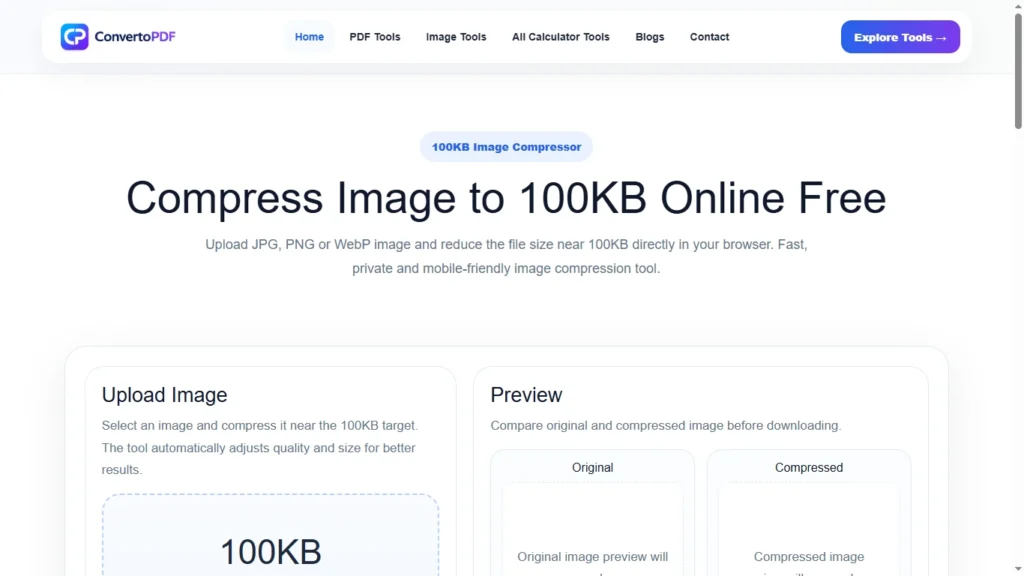
Compress Image to 100KB is a process of reducing the file size of an image so that it becomes 100KB or smaller while maintaining the best possible quality. This is particularly useful when uploading images to websites, government portals, job application forms, college admission systems, and other online platforms that have strict file size requirements.
Many users struggle with image upload errors because their files exceed the maximum allowed size. Instead of manually editing images or installing complicated software, an online image compression tool can quickly reduce image size to 100KB within seconds.
Whether you’re working with JPG, JPEG, PNG, or WebP files, compressing an image to 100KB helps ensure faster uploads and better compatibility with online systems.
Why Do People Need to Compress Images to 100KB?
Many online platforms impose file size limits to save storage space and improve system performance. Because of these restrictions, users often need to reduce image sizes before uploading.
Common situations where image compression is required include:
- Government application forms
- Job application portals
- Passport applications
- Scholarship registrations
- School and college admissions
- Online examinations
- Banking documentation
- Identity verification systems
If an image exceeds the allowed limit, the upload may fail completely. Compressing the image beforehand helps avoid these issues.
Benefits of Compressing an Image to 100KB
Reducing image size offers several practical advantages.
Faster Upload Speed
Smaller image files upload much faster than large images. This is especially useful when using slower internet connections.
Better Website Performance
Compressed images load faster on websites, improving user experience and page speed.
Easier Sharing
Images under 100KB are easier to share through email, messaging apps, and online platforms.
Reduced Storage Usage
Smaller files consume less storage space on devices and cloud storage services.
Improved Compatibility
Many websites and online forms specifically require images below a certain size limit. Compressing an image to 100KB ensures compatibility with these systems.
How Does Image Compression Work?
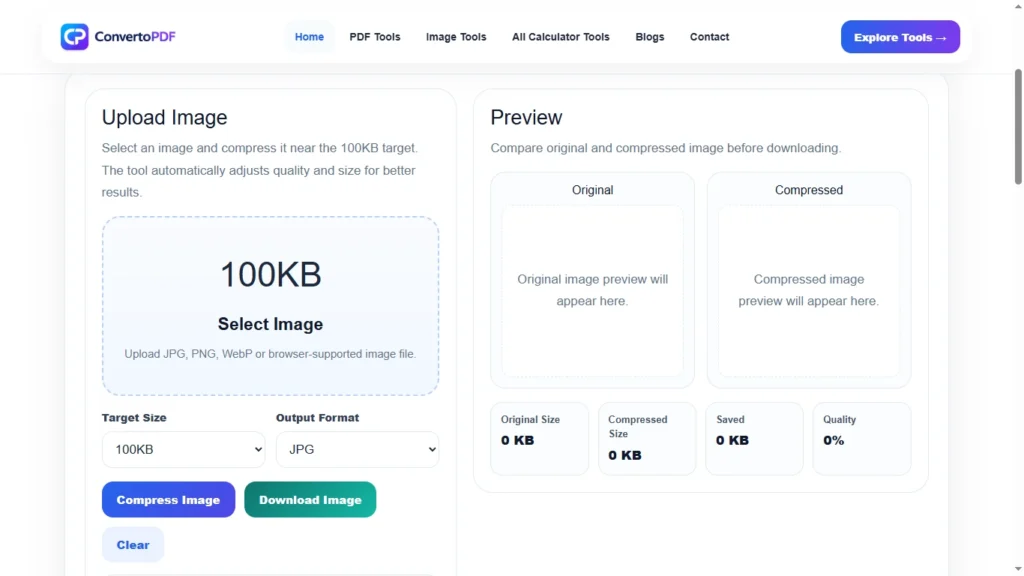
Image compression works by optimizing the image data to reduce file size.
The compression process may:
- Remove unnecessary metadata
- Optimize image quality
- Reduce color complexity
- Improve file efficiency
- Compress image structure
Modern image compression techniques can significantly reduce file size while preserving visual quality.
The goal is to achieve the smallest possible file size without making the image blurry or unusable.
How to Compress an Image to 100KB
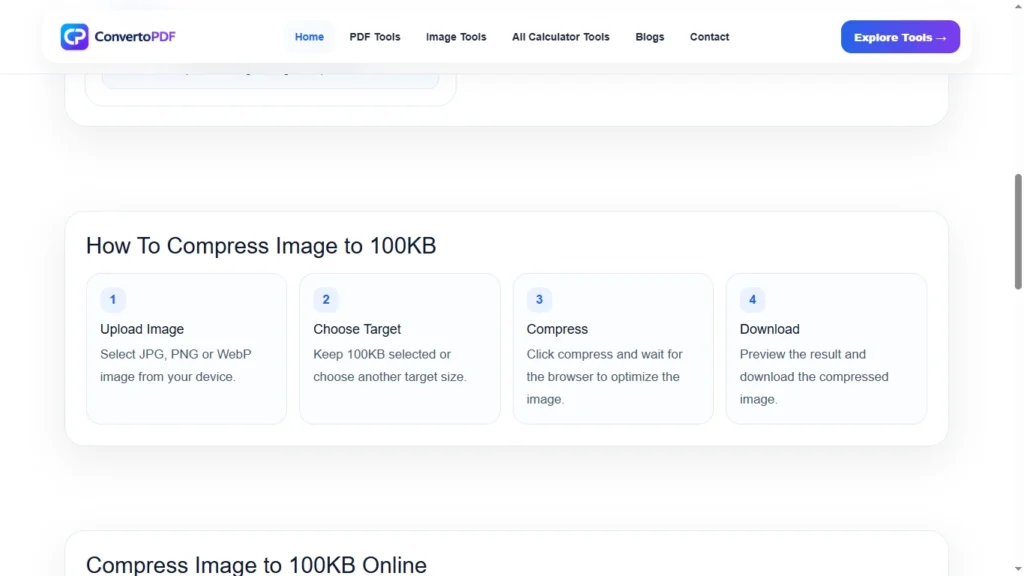
The process is straightforward and requires only a few steps.
Step 1: Upload Your Image
Select the image you want to compress from your device.
Step 2: Start Compression
The compression tool automatically analyzes and optimizes the image.
Step 3: Preview the Result
Check the compressed image to ensure the quality meets your requirements.
Step 4: Download the Image
Download the optimized image and use it wherever required.
Most image compression tools complete the process within a few seconds.
Supported Image Formats
Most modern image compressors support a variety of image formats.
Commonly supported formats include:
- JPG
- JPEG
- PNG
- WebP
This allows users to compress images regardless of their original format.
Compress Image to 100KB for Government Forms
Government websites often require applicants to upload photographs and documents within specific size limits.
For example, many applications require:
- Passport photos
- Signature images
- Identity verification documents
- Supporting photographs
Compressing images to 100KB helps applicants meet these requirements and avoid upload errors during the submission process.
Compress Image to 100KB for Job Applications
Job seekers frequently need to upload profile photos, certificates, and supporting documents.
Many recruitment portals have image size restrictions to ensure faster processing and storage efficiency.
Using a Compress Image to 100KB tool allows candidates to prepare their files quickly and professionally.
Compress Image to 100KB for Students
Students often need image compression when:
- Applying for admissions
- Registering for examinations
- Uploading ID photographs
- Submitting educational documents
A smaller image size makes uploads faster and reduces the chances of technical issues during submission.
Can Compression Reduce Image Quality?
This is one of the most common concerns among users.
In most cases, a properly designed image compressor reduces file size while maintaining acceptable image quality.
However, the final quality depends on:
- Original image quality
- Compression level
- Image format
- Resolution
Modern compression technology focuses on preserving visual clarity while minimizing file size.
For everyday use, users typically notice little or no visible difference after compression.
Best Practices Before Compressing an Image
To achieve the best results, consider the following recommendations:
- Start with a clear original image.
- Avoid repeatedly compressing the same image.
- Use modern image formats when possible.
- Crop unnecessary areas before compression.
- Verify image quality after optimization.
These practices help maintain image clarity while achieving the desired file size.
Features of a Good Image Compression Tool
A high-quality image compression tool should provide:
- Fast processing
- Accurate compression
- Mobile compatibility
- Support for multiple formats
- Secure uploads
- Easy-to-use interface
- High-quality output
These features ensure a smooth experience for users of all skill levels.
Common Problems Solved by Image Compression
Image compression helps solve several common challenges.
File Size Too Large
Large images may exceed upload limits. Compression reduces file size quickly.
Slow Upload Speeds
Smaller files upload much faster.
Storage Issues
Compressed images occupy less storage space.
Website Performance Problems
Optimized images improve loading speed and overall website performance.
Sharing Restrictions
Smaller files are easier to send through email and messaging platforms.
Frequently Asked Questions
Can I compress an image to exactly 100KB?
Many image compression tools can reduce file size close to or exactly 100KB depending on the original image.
Is image compression free?
Yes. Most online image compression tools can be used free of charge.
Which image formats are supported?
Most tools support JPG, JPEG, PNG, and WebP images.
Can I compress images on my phone?
Yes. Modern image compressors work on smartphones, tablets, laptops, and desktop computers.
Does image compression affect quality?
Some quality reduction may occur, but modern tools are designed to preserve visual appearance as much as possible.
Why Use an Online Compress Image to 100KB Tool?
Online image compressors eliminate the need for software installation and manual editing.
Users can:
- Compress images instantly
- Save time
- Meet upload requirements
- Improve sharing efficiency
- Optimize website images
This makes online compression one of the easiest ways to prepare images for digital use.
Conclusion
Compressing an image to 100KB is an effective way to meet upload requirements, improve website performance, save storage space, and simplify file sharing. Whether you’re submitting government applications, applying for jobs, completing educational registrations, or optimizing images for websites, reducing image size can make the entire process faster and more convenient.
A reliable Compress Image to 100KB tool allows users to reduce file size while maintaining image quality, ensuring that images remain clear, professional, and compatible with various online platforms. By using image compression effectively, you can avoid upload errors, improve efficiency, and manage digital files more easily.
Need More PDF & Image Tools?
Explore free online tools to compress PDFs, resize images, convert files, and optimize documents instantly.
Explore Tools →